
Download Express Zip Plus – Premium File Archiver for Windows, Mac, Android & iOS
Express Zip Plus is the ultimate file archiver for users seeking a fast, secure, and feature-rich solution to compress, manage, and extract archives. Whether you're a student, professional, or casual user, this premium compression tool streamlines your workflow with powerful functionality. With support for over 20 file formats including ZIP, RAR, 7Z, TAR, ISO, GZIP, and more, Express Zip Plus ensures seamless compatibility across platforms.
The software is ideal for reducing file sizes, saving storage space, and securely sharing sensitive data via encrypted archives. Its intuitive interface and right-click integration make it easy to compress or extract files with just a few clicks. From splitting large files into manageable parts to creating PAR2 recovery files for data integrity, this tool delivers professional-grade performance.
Download Express Zip Plus today and experience a smarter way to handle your digital files across Windows, Mac, Android, and iOS devices.
Key Features of Express Zip Plus
Express Zip Plus stands out as one of the most comprehensive file compression software solutions available. It goes beyond basic ZIP creation, offering advanced tools that cater to both beginners and power users. One of its standout features is the ability to handle a wide variety of archive formats—ZIP, RAR, CAB, TAR, 7Z, ISO, GZIP, MULTIDISK, ZIPX, LZH, ARJ, PKPASS, GZ, and more. This versatility means you won’t need multiple tools to manage different file types. Whether you're working with compressed project folders, software installers, or backup files, Express Zip Plus has you covered.
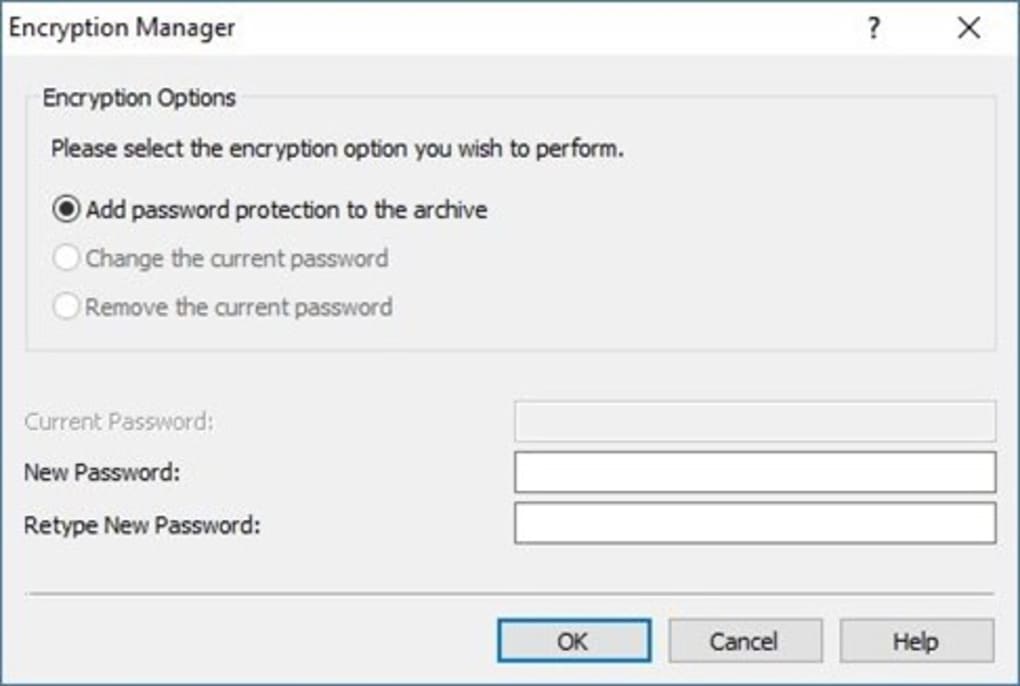
Another powerful feature is the multi-part split ZIP archives functionality. This allows users to break down massive files into smaller, manageable segments—perfect for transferring data via USB drives, email, or cloud storage with size limits. The software also supports password protection and encryption, ensuring sensitive documents like financial records or personal photos remain secure. You can even generate PAR2 recovery files to repair damaged archives, a critical safety net for long-term backups.
For users who value speed and convenience, Express Zip Plus integrates directly into the right-click context menu on Windows and Mac. This means you can compress or extract files without launching the full application. The drag-and-drop interface further simplifies file management, while the built-in CD/DVD burning feature enables direct disc creation. Whether you're organizing a project, preparing a presentation, or backing up your system, this tool makes every task faster and more efficient. With regular updates and a secure download process, Express Zip Plus remains a top choice for reliable file archiving.
Installation & Usage Guide for Express Zip Plus
Getting started with Express Zip Plus is straightforward and beginner-friendly. Begin by visiting the official website and downloading the installer for your operating system—Windows, Mac, Android, or iOS. The free download is available for trial use, but to unlock all features, you’ll need to purchase a license. Once downloaded, run the installer and follow the on-screen prompts. The setup process is quick, typically taking under two minutes, and doesn’t require advanced technical knowledge.
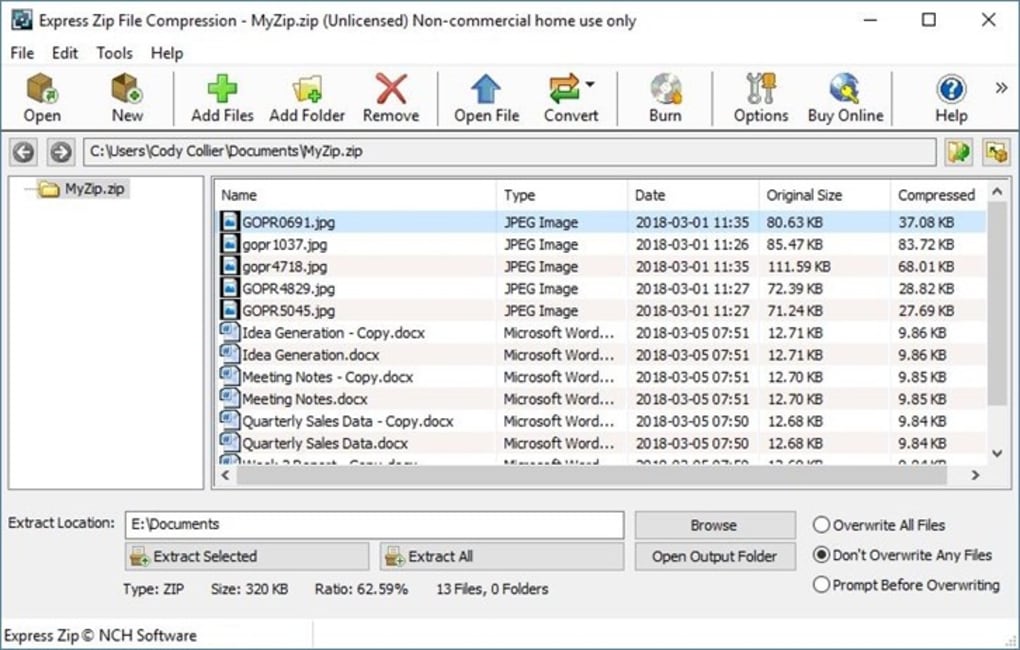
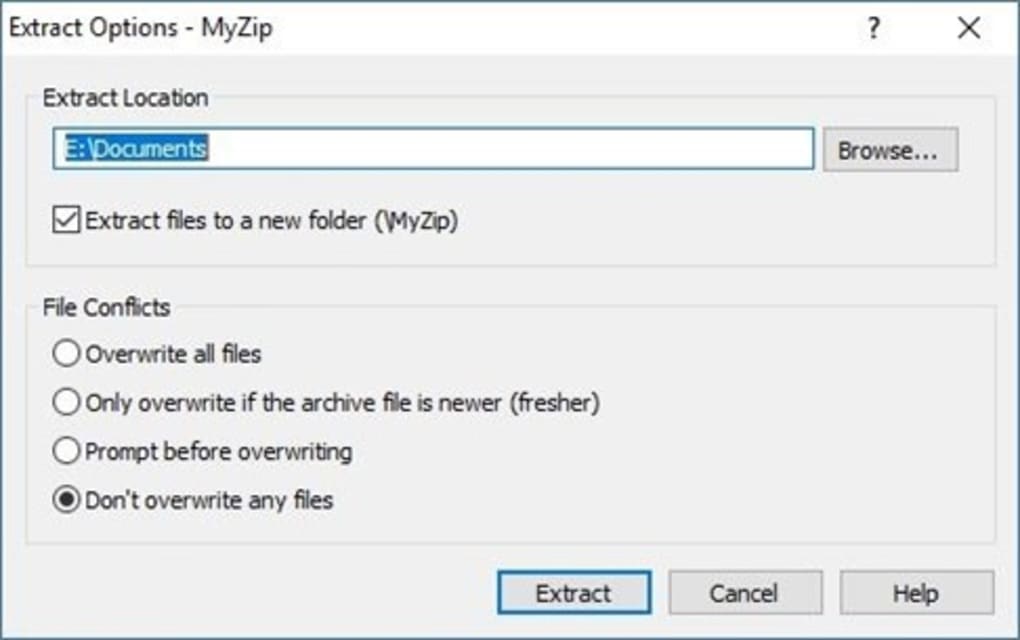
After installation, launch the app. The clean, modern interface makes navigation intuitive. You’ll see options to create new archives, extract files, or convert archives between formats. To create a ZIP file, simply drag and drop your desired files into the application window or use the “Add Files” button. Choose your preferred format (ZIP, 7Z, RAR, etc.), set a password if needed, and click “Create.” For extraction, right-click any archive file in File Explorer or Finder and select “Extract with Express Zip Plus” for instant access.
One of the most useful features is the context menu integration. After installation, you’ll see new options like “Compress to ZIP” and “Extract Here” in your right-click menu. This eliminates the need to open the app every time you want to zip or unzip files.
For advanced users, the software includes batch processing, command-line support, and customizable settings. You can also schedule automatic backups or set up default compression levels. With regular updates and a reliable secure download option, Express Zip Plus ensures long-term usability and protection.
Compatibility & System Requirements
Express Zip Plus is designed to work seamlessly across multiple platforms, making it one of the most versatile file archiver tools on the market. It is fully compatible with Windows 10, 11, 8.1, and 7 (64-bit), ensuring broad support for desktop users. For Mac users, the software runs smoothly on macOS 10.14 (Mojave) and later, including Apple Silicon (M1/M2) Macs with native support. This cross-platform compatibility means you can use the same tool whether you're on a Windows PC or a Mac, maintaining consistency in your workflow.
For mobile users, Express Zip Plus offers dedicated apps for Android and iOS, allowing you to manage archives on the go. These mobile versions support common formats like ZIP, RAR, and 7Z, and include features such as password protection and file extraction. While the mobile app lacks some advanced desktop features like PAR2 recovery or CD burning, it’s perfect for quick access and sharing on smartphones and tablets.
The software has minimal system requirements, making it lightweight and efficient. It runs smoothly on machines with as little as 2GB RAM and 500MB of free disk space. It doesn’t consume excessive CPU or memory, so it won’t slow down your system during compression tasks. Whether you're using a high-end workstation or an older laptop, Express Zip Plus delivers consistent performance. With secure updates and regular patches, the software remains protected against vulnerabilities, ensuring your data stays safe across all devices.
Pros and Cons of Express Zip Plus
- Pros:
- Supports over 20 archive formats including ZIP, RAR, 7Z, ISO, TAR, and GZIP
- Right-click integration for quick compression and extraction
- Multi-part split archives for large file transfers
- Strong encryption and password protection for sensitive files
- PAR2 recovery file generation for data repair
- CD/DVD burning directly from the app
- Drag-and-drop interface for easy file management
- Available for Windows, Mac, Android, and iOS
- Regular updates and secure download options
- Cons:
- Full features require a paid license (no free version with full access)
- Mobile app lacks advanced desktop features like PAR2 and CD burning
- Interface may feel slightly dated compared to newer alternatives
- Customer support is limited to email and documentation
- Not ideal for users who need cloud integration or AI-powered compression
Frequently Asked Questions (FAQ)
Is Express Zip Plus free to download?
Yes, you can download Express Zip Plus for free, but the trial version has limited functionality. To access full features like password protection, PAR2 recovery, and multi-part splitting, you need to purchase a license.
Can I use Express Zip Plus on Mac and Windows?
Absolutely. Express Zip Plus is fully compatible with both Windows and Mac operating systems. It supports Windows 7 and later, and macOS 10.14 and above, including Apple Silicon Macs.
Does Express Zip Plus support RAR and 7Z files?
Yes, Express Zip Plus supports a wide range of formats, including RAR, 7Z, ZIP, TAR, ISO, GZIP, and more. You can create, extract, and convert between these formats effortlessly.
How do I create a password-protected archive?
When creating a new archive, simply select the “Set Password” option during the creation process. Enter your desired password and confirm it. The archive will be encrypted and can only be opened with the correct password.
Can I split large files into smaller parts?
Yes, Express Zip Plus includes a multi-part split ZIP archives feature. You can split large files into smaller segments (e.g., 100MB each) to fit on USB drives or email attachments.
Final Verdict: Is Express Zip Plus Worth It?
Express Zip Plus is a powerful, reliable, and feature-packed file archiver that delivers excellent value for users who frequently handle compressed files. Its ability to support multiple formats, secure encryption, and seamless integration with Windows and Mac makes it a top-tier choice. While the full version requires a purchase, the benefits—especially for professionals, students, and data managers—far outweigh the cost.
If you're looking for a secure, fast, and easy-to-use compression tool, Express Zip Plus is a must-have. Whether you're preparing files for email, backing up important data, or managing large projects, this software simplifies every step. With regular updates and strong compatibility, it remains a future-proof solution.
Download Express Zip Plus today and take control of your file management with confidence. Experience the power of professional-grade compression in just a few clicks.







